How to Charge a Rechargeable Hand Warmer
Published November 15, 2026 · Sources checked on November 13, 2026
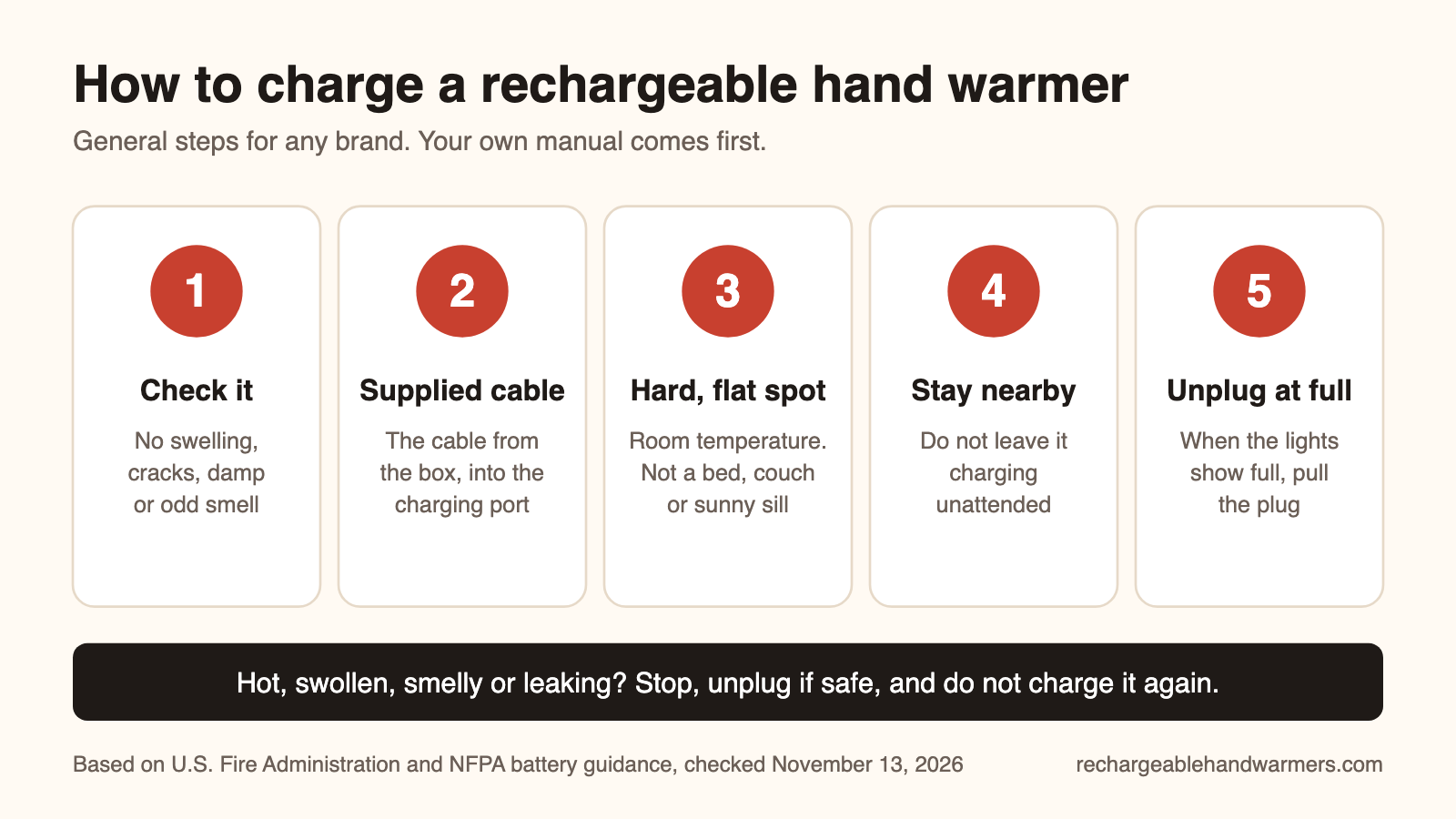
Use the cable that came with your hand warmer and a certified USB adapter, charge it on a hard, flat surface where you can see it, and unplug it when it is full. Your own manual beats any general guide, including this one.
This page is brand-neutral. We have not tested any of the models named below; the examples come from manuals and help pages published by the makers, and they apply to those models only.
How to charge a rechargeable hand warmer: step by step
- Look it over first. Do not charge a warmer that is swollen, cracked, dented, wet or smells odd. Fire safety agencies list a change in shape, odor, leaking and too much heat as signs to stop using a lithium-ion battery.
- Use the cable from the box. Zippo tells HeatBank owners to use only the supplied cable. The NFPA gives the same advice for any lithium-ion device. If the cable is lost or frayed, ask the maker for a replacement.
- Plug into the power source your manual names. That is usually a certified USB wall adapter or a computer USB port. The U.S. Fire Administration says to plug chargers straight into a wall outlet, not into an extension cord or multi-plug adapter.
- Find the right port. Warmers that double as power banks often have two ports: one that takes charge in and one that sends power out to a phone. Plugging the cable into the output port will not charge the warmer.
- Charge on a hard, flat surface at room temperature. A desk or counter, not a bed, couch or pillow, and not in direct sunlight. If the warmer has been outside in freezing weather, let it warm up indoors first: the NFPA says not to charge lithium-ion batteries below 32°F or above 105°F.
- Stay nearby. The U.S. Fire Administration advises against leaving charging devices unattended when possible.
- Unplug when the lights show full. The NFPA says not to keep charging after a device is fully charged.
New warmer? Some ship only partly charged. Zippo and Celestron both tell owners to charge fully before the first use.
How long does a hand warmer take to charge?
It depends on the battery size and the adapter, so the only reliable number is the one in your manual. As one published example, the Celestron Elements ThermoCharge (model 48012) manual lists about 5 hours by USB. Zippo does not give a charge time on its HeatBank 3, 6 or 9s help pages. If your warmer takes far longer than its manual says, treat that as a fault and work through the table below.
For how long a charge then lasts in your pocket, see how long rechargeable hand warmers last.
What does a blinking light mean?
On the example models below, a blinking light during charging simply means "charging in progress". Light patterns are not standard between brands, though, so check your own manual. Examples from two makers:
| Model (example) | What the lights do, per the maker |
|---|---|
| Zippo HeatBank 3, 6 and 9s | Blue lights blink while charging and show the level: one light is low, three is full. |
| Zippo HeatBank 3 | While heating, a red light blinks slowly on low and faster on high. That is the heat setting, not a fault. |
| Celestron Elements ThermoCharge 48012 | A blue light blinks while the battery charges and stops blinking when charging is complete. Red means the heater is on. |
Hand warmer not charging? Troubleshooting table
Work from the top. Your manual wins wherever it says something different.
| Symptom | What to try | When to stop |
|---|---|---|
| No light at all when plugged in | Push both ends of the cable in fully. Check the charging port for lint or dirt. Try another power source that your manual allows, such as a different wall adapter or a computer USB port. | The cable is frayed, kinked or has bent pins. Zippo asks owners to inspect the cable from time to time and contact the company about a replacement. |
| Lights blink the whole time | Usually normal while charging (see the examples above). Leave it for the time your manual gives, then check again. | It is still blinking long after the stated charge time, or the warmer feels hot. |
| Plugged in but the level never rises | Make sure the cable is in the charging (input) port, not the phone-charging (output) port. On the Zippo HeatBank models the small port charges the warmer and the large one powers a phone. | The right port still does nothing with a known-good power source. |
| Will not charge after coming in from the cold | Let it sit at room temperature before plugging in. The NFPA range for charging lithium-ion batteries is 32°F to 105°F. | It still will not charge once it is at room temperature. |
| Dead or weak after a summer in a drawer | Give it one full, supervised charge. The Celestron 48012 manual warns that more than six months unused can harm the battery. | It will not take a charge or runs for only minutes. Contact the maker; Zippo lists a one-year warranty for the HeatBank 3 and two years for the 9s. |
| Heat will not turn on while plugged in | Unplug it and try again. Some models limit what they do at once: Zippo says HeatBank heat is disabled while the warmer is charging a phone. | It will not heat on a full charge either. |
| Hot, swollen, smelly, hissing or leaking | Nothing. Do not try to fix it. | Now. Unplug it if that is safe and move it away from anything that can burn. If there is smoke or fire, get out and call 911. |
If the basic checks fail, do not open the case or swap the battery yourself. Contact the maker or the store. Zippo asks HeatBank owners not to mail the product in and to contact the company first; its HeatBank 9s page notes that postal and other shipping rules can restrict products containing batteries.
USB-C vs micro-USB hand warmers
Both are just the shape of the charging port; neither changes the safety rules above. Some warmers use USB-C, which has an oval plug that fits either way up. Older designs use micro-USB (the Zippo HeatBank 3, 6 and 9s pages describe a micro-USB cable) or mini-USB (the Celestron 48012), and those plugs only fit one way, so never force them. The cables are not interchangeable. A USB-C port does not by itself mean a warmer supports fast charging: use the adapter type and wattage your manual lists.
Stop using it if
- It is swollen or has changed shape. The U.S. Fire Administration says to stop using a swollen or punctured battery immediately.
- It gets too hot, smells, leaks, hisses or changes color, while charging or in use.
- It is cracked, dented or has been crushed. The Celestron manual tells owners to stop using a unit with dents, punctures or deformities.
- It got wet inside. The U.S. Fire Administration notes that water can cause lithium-ion battery failures even days later. Do not charge it; contact the maker.
- It has been recalled. Search for your brand and model number on the CPSC recalls page before you charge it again.
Our hand warmer safety guide covers these risks in more detail.
Never put a lithium-ion warmer in the household trash or recycling bin. Take it to a battery recycling point or a household hazardous waste site, and follow the recall notice if it is a recalled model.
How to store a hand warmer over summer
- Switch it off and keep it indoors at room temperature, somewhere dry. Not in a hot car, a sunny windowsill or a damp garage.
- Keep it away from anything that burns easily.
- Do not put it away empty. The Celestron manual says to charge for at least an hour before long storage.
- Top it up now and then. Makers differ, so follow your own manual. As one example, the Celestron manual suggests a full discharge and recharge every three to four months.
- Look it over before the first charge of the next winter, and check the recall list again.
Quick questions
Can I charge a hand warmer overnight?
It is better not to. Fire safety guidance is to charge on a hard surface, stay nearby when possible and unplug once full. CPSC advice for e-bike batteries goes further and says never to charge while sleeping. A hand warmer battery is far smaller, but the habit is a good one: charge it in the evening and unplug it before bed.
Can I use a hand warmer while it is charging?
Check your manual. It depends on the model. If your manual does not clearly allow it, unplug first.
Can I use my phone charger?
Often yes for the wall adapter, if it is a certified one that matches what the manual lists. Zippo, for example, asks for a suitable charging device or a listed, certified power supply. Keep using the cable that came with the warmer.
Can I charge it from a power bank or in the car?
Only if your manual lists it. The Celestron 48012 manual, for example, names a PC, laptop, car charger or USB adapter. A parked car in summer or in deep cold can be outside the 32°F to 105°F charging range that the NFPA gives.
New to these devices? Start with how rechargeable hand warmers work. Looking for a new warmer? See our rechargeable hand warmers, or compare rechargeable vs disposable hand warmers first.
Sources
All pages were checked on November 13, 2026. Manuals change, and models differ, so always read the instructions that came with your own warmer.
- Zippo: HeatBank 3, HeatBank 6 and HeatBank 9s help pages
- Celestron: Elements ThermoCharge 48012 manual (PDF)
- CPSC: search recalls and product safety warnings
- CPSC: battery charging tips for e-bikes and e-scooters
- U.S. Fire Administration: lithium-ion battery risks and safe charging, battery fire safety and charging handout (PDF)
- NFPA: lithium-ion battery safety tip sheet (PDF)
- USB Implementers Forum: USB Type-C connector